An AIMS PIN is needed to send Calf Registrations & Animal Movements Notifications to AIMS. Without a PIN, you cannot do these actions in FarmOps.
In this FAQ, you will learn:
- How to set your AIMS PIN
- How to change your AIMS PIN
- How to enter your AIMS PIN when asked
- What to do if you forget your AIMS PIN
How to set your AIMS PIN
Once you have set FarmOps as your software provider on AIMS (See Activating AIMS FAQ for details on how to do this), a member of the FarmOps team will contact you and to help you set an AIMs PIN. This PIN must be entered in the app to register a calf or carry out an animal movement. The PIN must only be entered once every 24 hours.
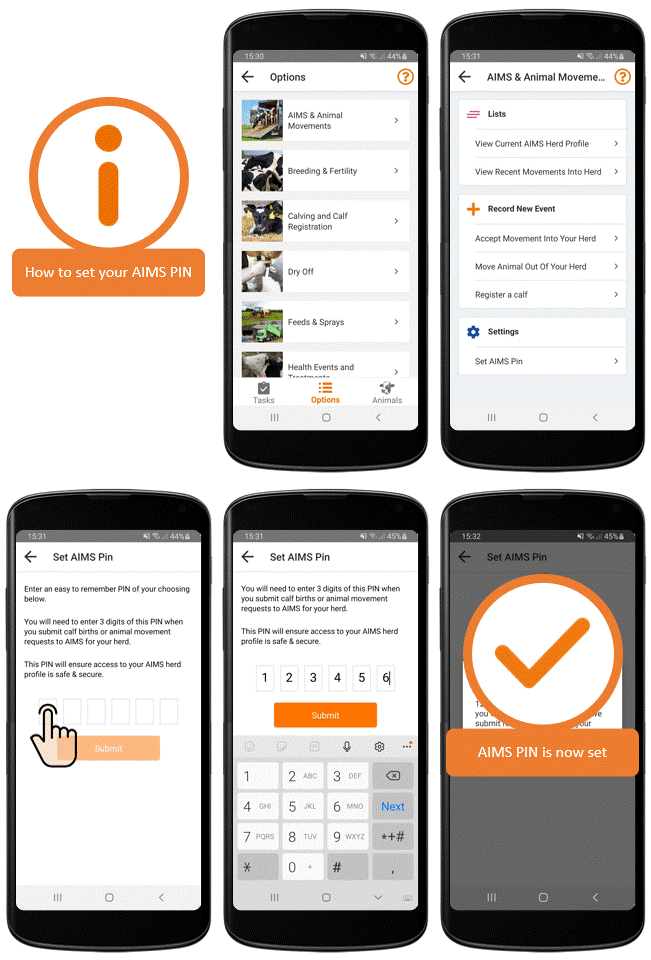
To set your AIMS PIN:
- From the Task List, select Options
- Select Calving & Calf Registration or AIMS & Animal Movements. The option for setting the AIMS PIN is listed on both sections
- Click Set AIMS PIN
- Enter a 6-digit PIN and tap Submit
- A popup will display the AIMS PIN and confirm the AIMS PIN has been set
- Take note of the PIN you have chosen as this is required for any additional movements.
How to change your AIMS PIN
You must know your existing AIMs PIN in order to use this function. If you have forgotten your PIN, see details below on how to retrieve it.
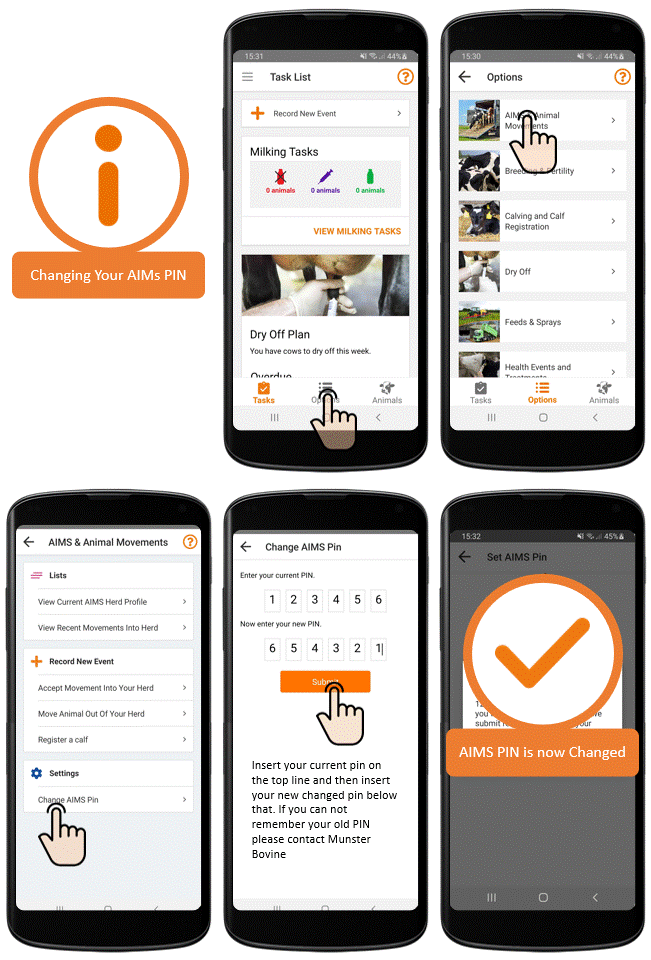
To Change your AIMS PIN:
- From the Task List, select Options
- Select Calving & Calf Registration or AIMS & Animal Movements. The option for changing the AIMS PIN is listed on both sections
- Tap on Change AIMS PIN
- Enter your current AIMS PIN followed the new PIN
- A pop up will confirm your new AIMS PIN and confirm it has been changed.
- If the wrong current AIMS PIN is entered, a popup will display it was incorrect and to contact the support team to get further help.
How to enter your AIMS PIN
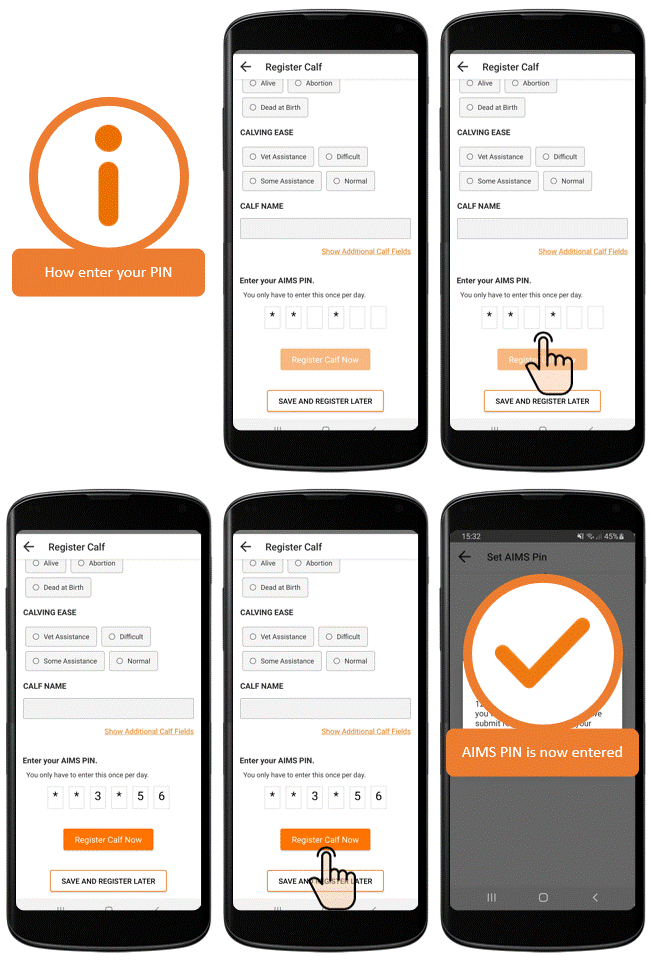
When registering a calf or moving an animal you will be asked to enter 3 digits of your 6 digit PIN. The request to enter your PIN will appear just once in a 24 hour period when you are registering a calf or moving an animal.
For instance, when Registering a Calf, the Register Calf Now button will remain inactive until you have entered the 3 digits of your PIN correctly. Once you have correctly entered your PIN, the Register Calf Now button will be enabled and you can tap it.
You will be informed by a pop up If you have entered the wrong PIN.
What to do if you forget your AIMS PIN
If you have forgotten you AIMS PIN, don't worry we can reclaim it for you. You can contact us on 022 70800 Monday to Friday 9-5 or you can Leave us a message.